CookieTin
Auto-rejects cookies, closes pop ups, fetches deals


Let us know if you’d like a Safari version

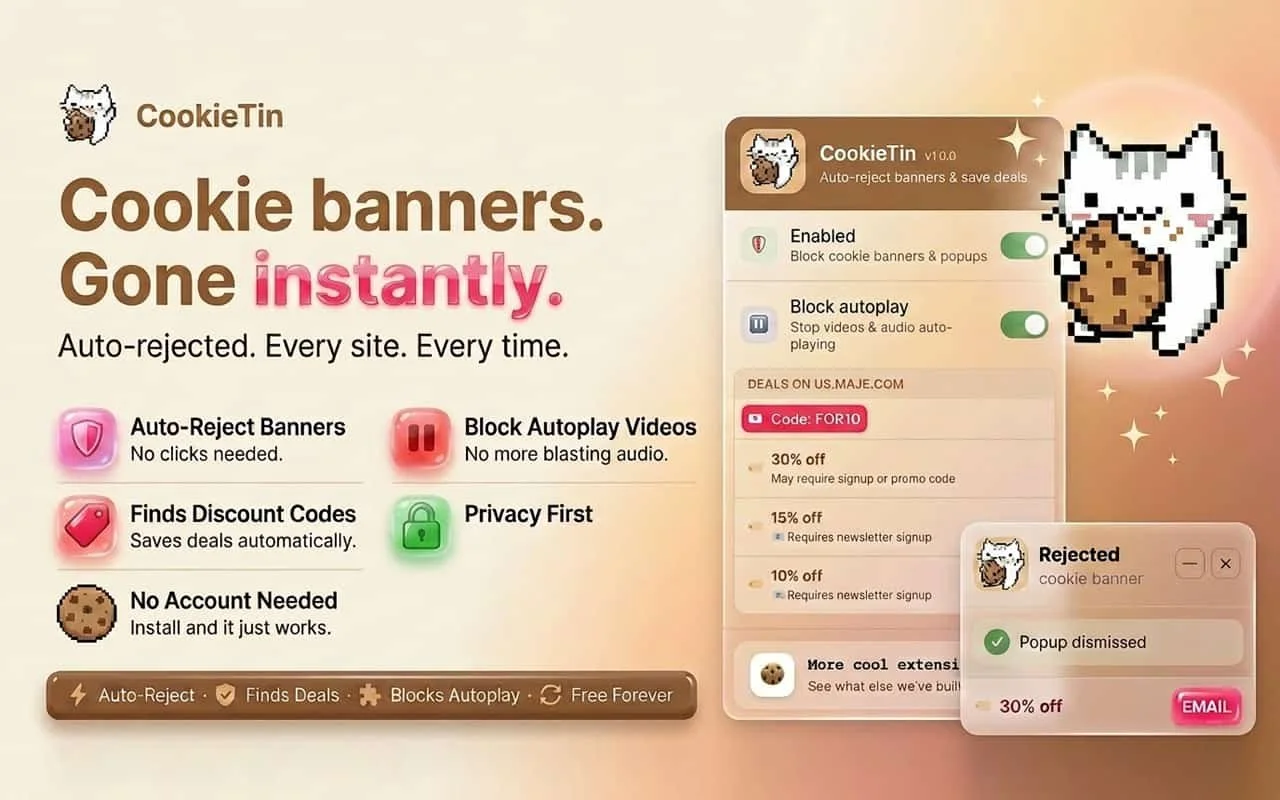
Deny everything, first. CookieTin hunts for the reject button - even when it's buried behind "manage preferences," renamed to something vague, or hidden three screens deep in deliberate dark patterns.
If there's a no, CookieTin finds it and clicks it. When deny isn't an option, take the minimum.
When a site offers no genuine reject option, CookieTin selects essential cookies only - nothing that tracks, profiles, or follows you across the web.
It takes the lowest-data option available, not the default pre-checked one.
When all else fails, clean up.
If a site forces consent with no way out, CookieTin removes residual tracking cookies automatically after the fact.
No traces left. No follow-up needed.
The deals inside the popups - rescued before they disappear.
Every popup CookieTin dismisses, it reads first.
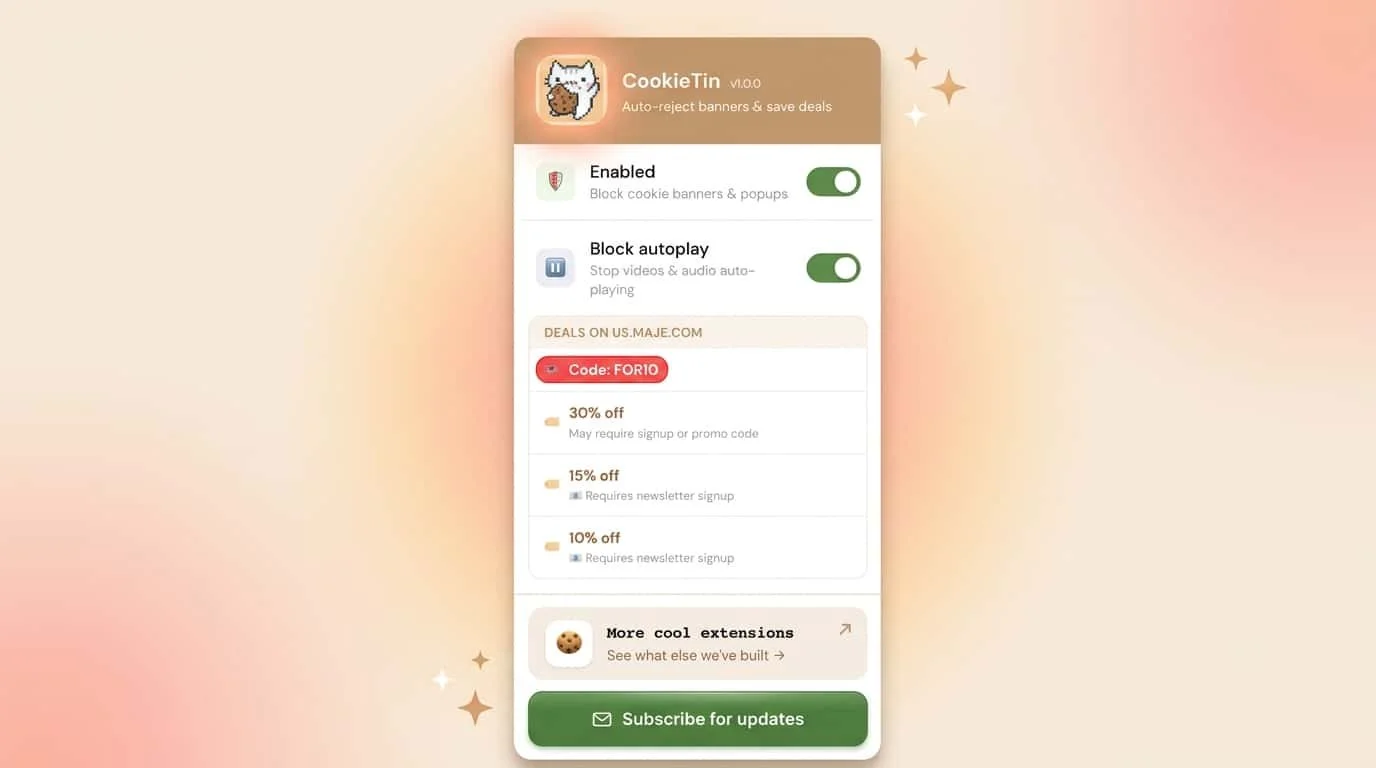
If there's a discount code, a sale percentage, or a free shipping offer buried inside, CookieTin extracts it and saves it as a quiet notification before closing the popup for good. In this economy, a 20% off code is worth keeping.
The popup it came in? Not so much. The rest of the noise - gone. Email capture walls, newsletter signups, exit-intent overlays, autoplaying video ads that hijack your speakers mid-scroll - CookieTin dismisses all of it automatically, before you even see it.
Other extensions hide cookie banners. Some auto-accept them silently. CookieTin is the only one that treats rejection as the default, clears the clutter without losing the savings, and leaves you with a cleaner, quieter web - for free. CookieTin requires no account, collects no data, and is available now at cookietin.app
CookieTin
vs uBlock Origin
Two great extensions, two completely different jobs. Here's the honest breakdown.
The full comparison
Every feature that matters, side by side. No marketing spin.
| Feature | 🍪 CookieTin | 🛡️ uBlock Origin |
|---|---|---|
| Cookie & consent banners | ||
| Auto-reject cookie bannersGDPR / CCPA consent walls | ✓ Primary focus | ~ Via filter lists only |
| Built-in CMP detectorsOneTrust, Cookiebot, TrustArc… | ✓ ~95% coverage, zero setup | ✗ Needs annoyance lists |
| Works without configuration | ✓ Install & done | ~ Better with extra lists |
| Shadow DOM / iframe bannersComplex embedded CMPs | ✓ Handles deeply nested CMPs | ~ Depends on filter list entry |
| Ads & trackers | ||
| Ad blockingBanner, display, video ads | ✗ Not in scope | ✓ Best in class |
| Tracker & script blocking | ✗ | ✓ Extensive filter lists |
| YouTube ad blocking | ✗ | ✓ Firefox / Brave (full MV2) |
| Malware domain blocking | ✗ | ✓ |
| Deals & shopping | ||
| Discount code detectionCaptures codes from popups | ✓ Unique feature | ✗ |
| Sale bar scraping% off, free shipping deals | ✓ Shows in popup | ✗ |
| One-click code copy | ✓ | ✗ |
| Video & autoplay | ||
| Block autoplaying video & audio | ✓ Toggle in popup | ✗ Not natively |
| Remove floating video players | ✓ | ~ Via cosmetic filters |
| Technical & privacy | ||
| Manifest versionChrome extension standard | MV3 - Chrome-ready ✓ | MV2 full / MV3 Lite (limited) |
| Works on Chrome (2025+) | ✓ Fully supported | ~ MV2 uncertain; Lite is reduced |
| Works on Firefox / Brave | ✓ | ✓ Full power here |
| All data stays local | ✓ | ✓ |
| Free to use | ✓ | ✓ |
| Open source | ~ Partial | ✓ Fully open source |
| Ease of use | ||
| Beginner-friendly | ✓ Zero learning curve | ~ Simple defaults; depth optional |
| Advanced filter rules | ✗ | ✓ Power-user feature |
Their superpowers
The things each extension does that the other simply doesn't.
CookieTin's edge
Built-in detection for ~95% of consent platforms - no setup. As it closes popups and cookie banners, it quietly captures any discount codes inside them and surfaces them in the popup. No other extension does this.
More than just banners
Also stops autoplay video and audio, removes sticky floating video players, and handles SPA page navigations - all toggled from one clean popup.
Saves money passively
While you browse, CookieTin spots promo codes, sale announcements, and discount offers and shows them instantly in the popup - no hunting, no extra apps.
uBlock's strength
The gold standard for ad and tracker blocking. Eliminates banner ads, YouTube pre-rolls, analytics scripts, and malware domains - things completely outside CookieTin's scope.
Incredibly lightweight
uBlock Origin is famous for doing enormous amounts of blocking with minimal CPU and memory. Its filter engine is among the most efficient ever written for a browser extension.
Power-user controls
Custom filter rules, per-site settings, scriptlets, and access to dozens of community-maintained block lists. A rabbit hole for those who want it.
Pick the right tool
Or install both - they don't overlap, don't conflict, and complement each other perfectly.
🍪 Get CookieTin if you…
- Are tired of clicking "Reject All" on every site
- Shop online and want deals surfaced automatically
- Want zero-config, just install and forget
- Use Chrome and need a proper MV3 extension
- Want autoplay videos and audio blocked
- Don't want to manage filter lists or settings
🛡️ Get uBlock Origin if you…
- Want ads blocked across every website
- Use Firefox or Brave for full MV2 power
- Want YouTube pre-roll ads gone
- Care about blocking analytics and tracking pixels
- Want custom filter rules and advanced controls
- Prefer fully open-source community software
Most people run both 🍪 + 🛡️
CookieTin handles cookie banners and deals. uBlock handles ads and trackers. Together they cover everything - and they play perfectly together.
🍪 Try CookieTin Free →