CookieTin
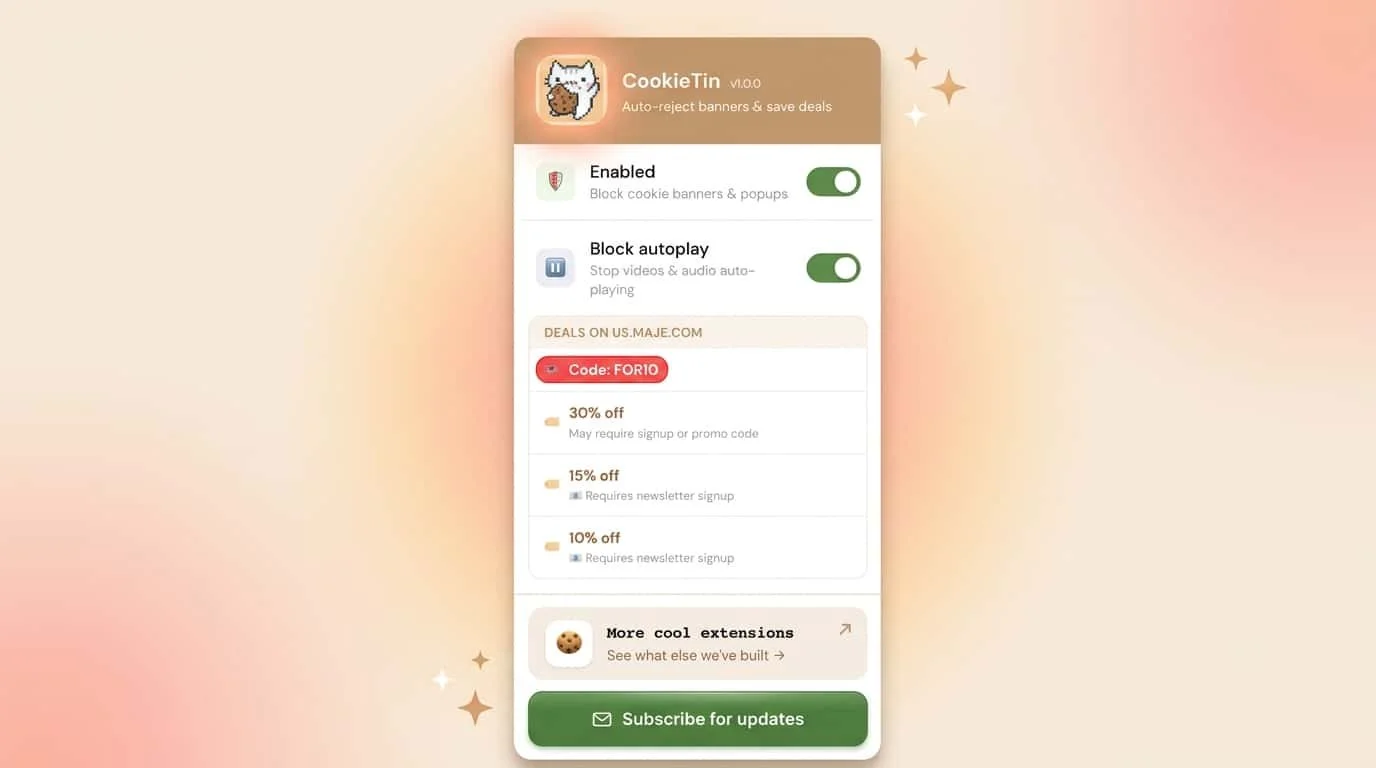
Auto-rejects cookies, closes pop ups, fetches deals

Will be available in a couple days! Sign up to hear first!

Let us know if you’d like a Safari version


Deny everything, first. CookieTin hunts for the reject button - even when it's buried behind "manage preferences," renamed to something vague, or hidden three screens deep in deliberate dark patterns.
If there's a no, CookieTin finds it and clicks it. When deny isn't an option, take the minimum.
When a site offers no genuine reject option, CookieTin selects essential cookies only - nothing that tracks, profiles, or follows you across the web.
It takes the lowest-data option available, not the default pre-checked one.
When all else fails, clean up.
If a site forces consent with no way out, CookieTin removes residual tracking cookies automatically after the fact.
No traces left. No follow-up needed.
The deals inside the popups - rescued before they disappear.
Every popup CookieTin dismisses, it reads first.
If there's a discount code, a sale percentage, or a free shipping offer buried inside, CookieTin extracts it and saves it as a quiet notification before closing the popup for good. In this economy, a 20% off code is worth keeping.
The popup it came in? Not so much. The rest of the noise - gone. Email capture walls, newsletter signups, exit-intent overlays, autoplaying video ads that hijack your speakers mid-scroll - CookieTin dismisses all of it automatically, before you even see it.
Other extensions hide cookie banners. Some auto-accept them silently. CookieTin is the only one that treats rejection as the default, clears the clutter without losing the savings, and leaves you with a cleaner, quieter web - for free. CookieTin requires no account, collects no data, and is available now at cookietin.app